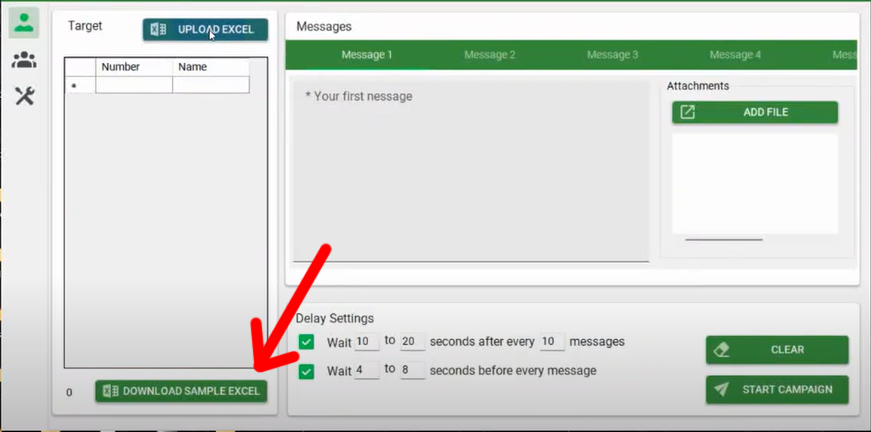
1 - Download the Excel template.
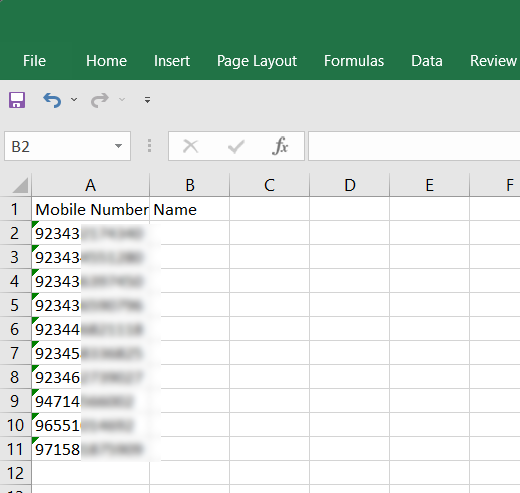
2 - Prepare and save your Excel with the targeted mobile number (without the + sign and with the country code).
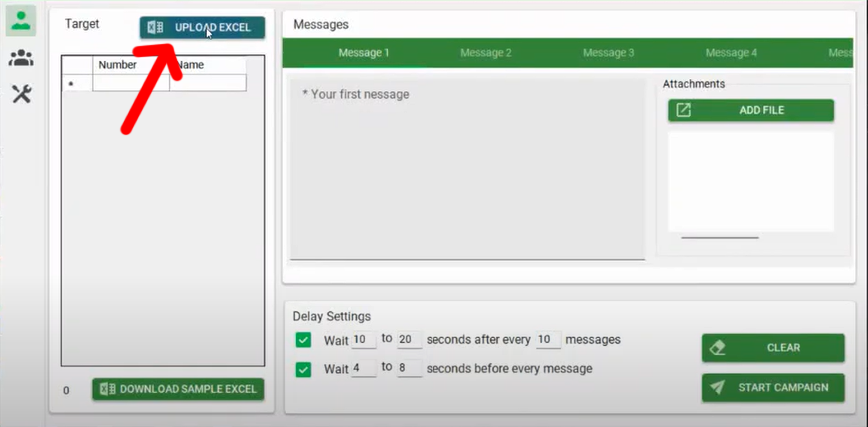
3 - Load the saved Excel file.
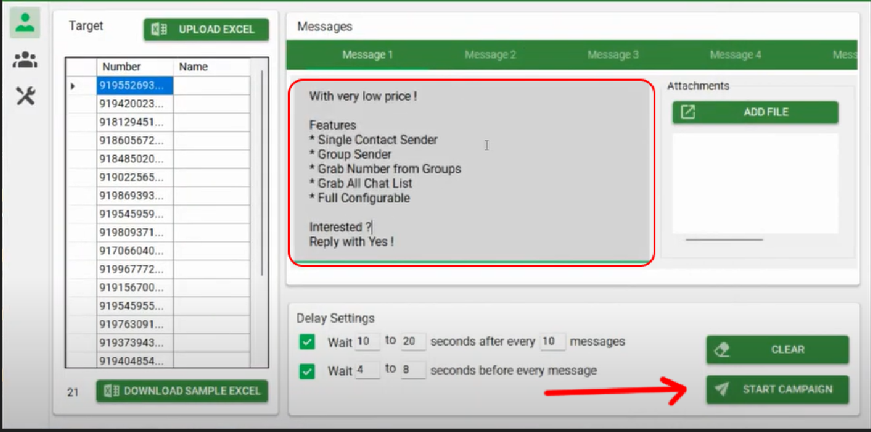
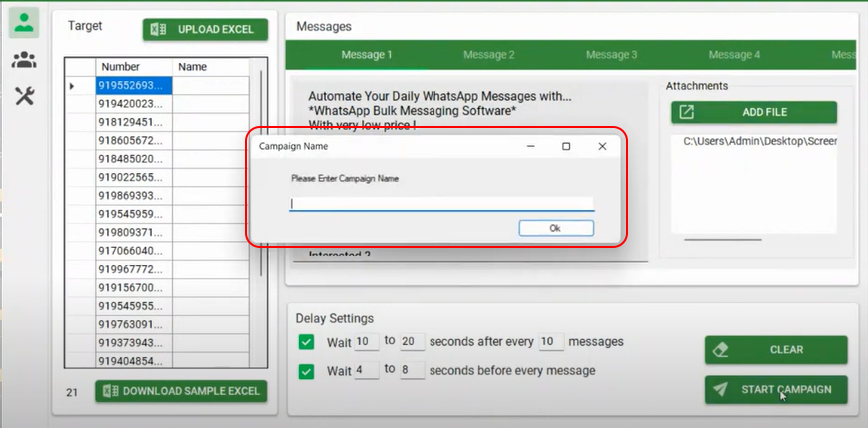
4 - Write your message and then click START CAMPAIGN.
5- Enter any Name for your campaign and click OK.
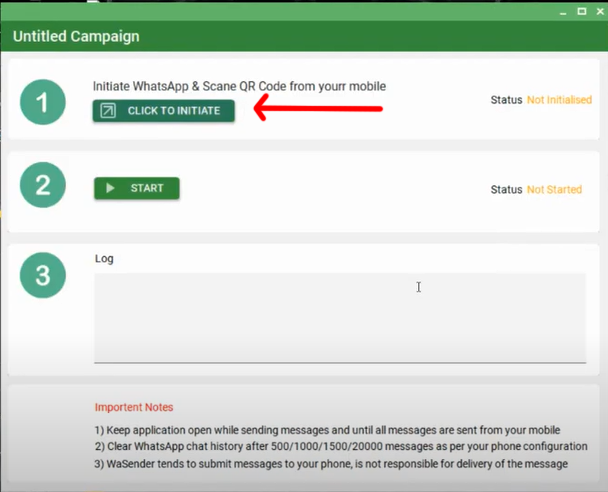
6 - Click on the 'Click to Start' button.
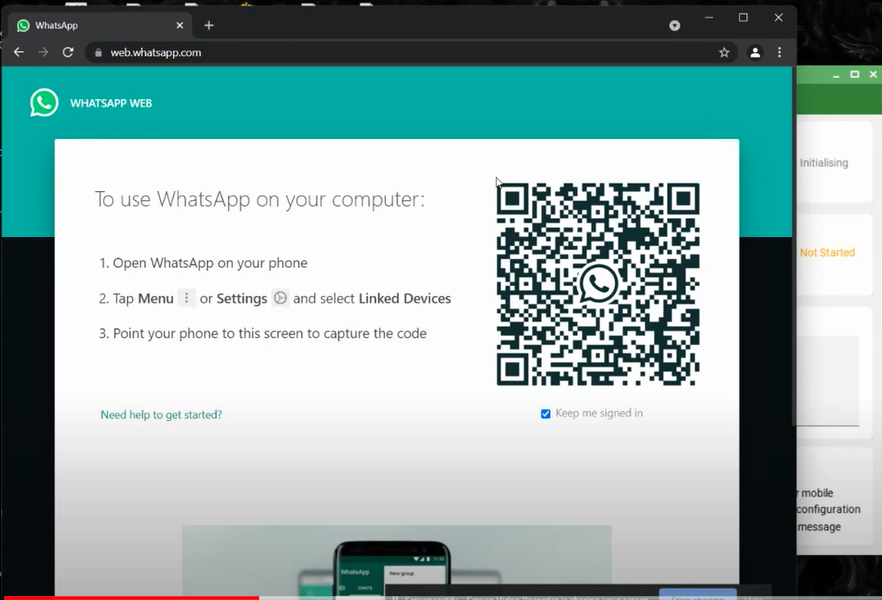
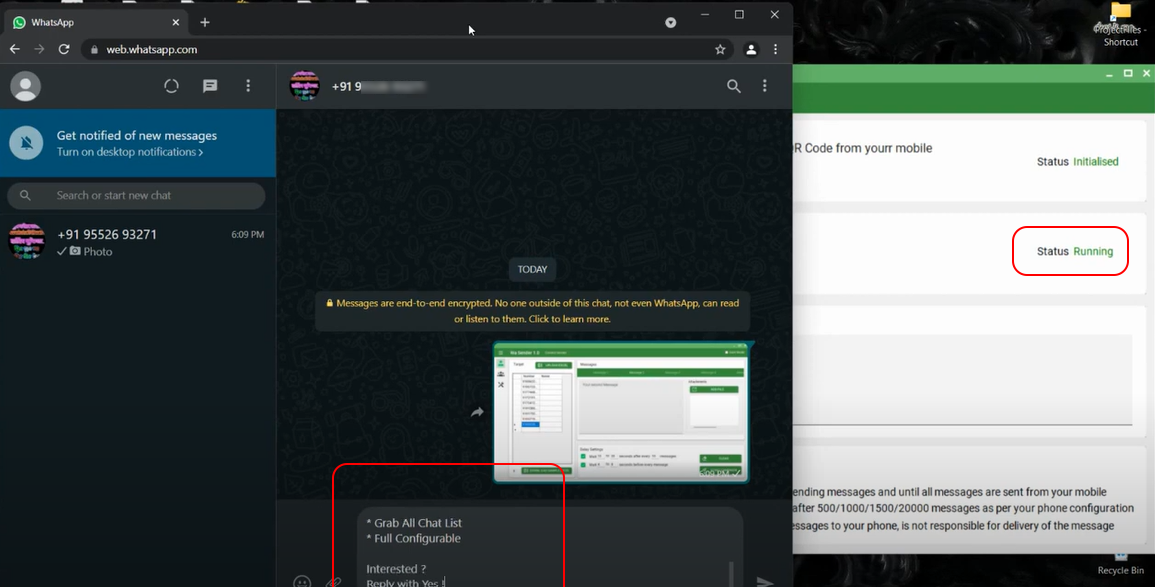
7 - Web whatsapp will open in Chrome browser, scan the QR code on your mobile and wait.
8 - Once the status becomes 'Started', click on the 'Start' Button.
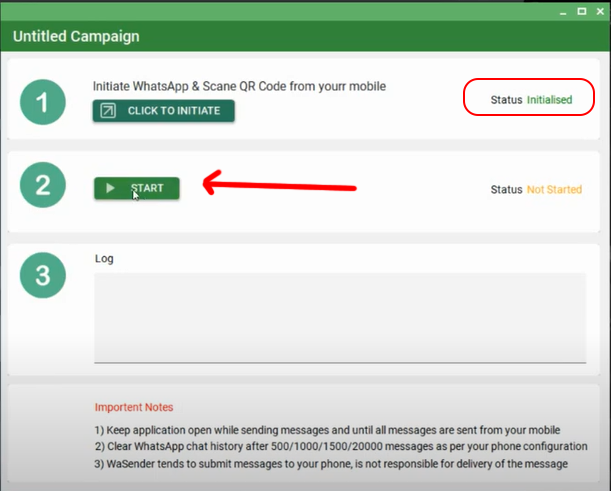
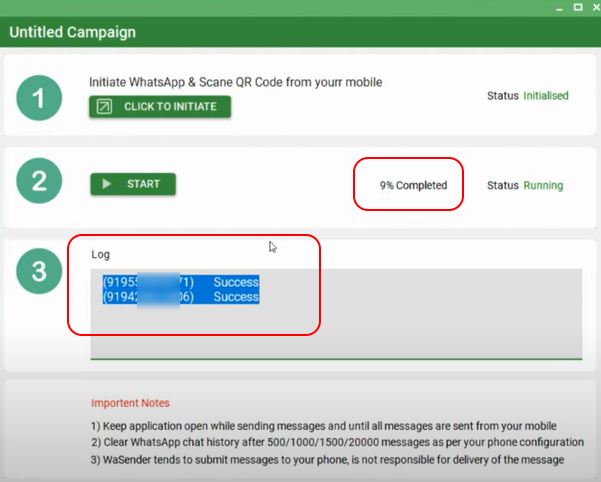
9 - Now your campaign's status will be 'Running' and WPSender will automatically send your message to the targeted mobile numbers one by one.
10 - You can view the log.
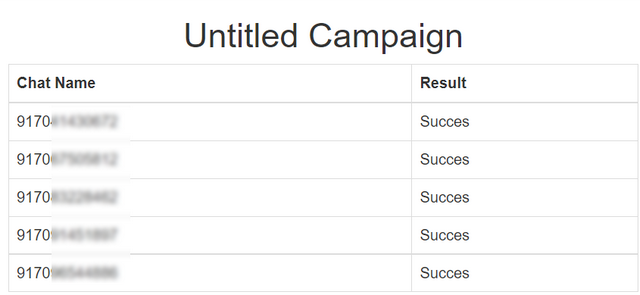
11 - After completing the task you will receive your campaign Status Report.

 Turkey (Türkçe)