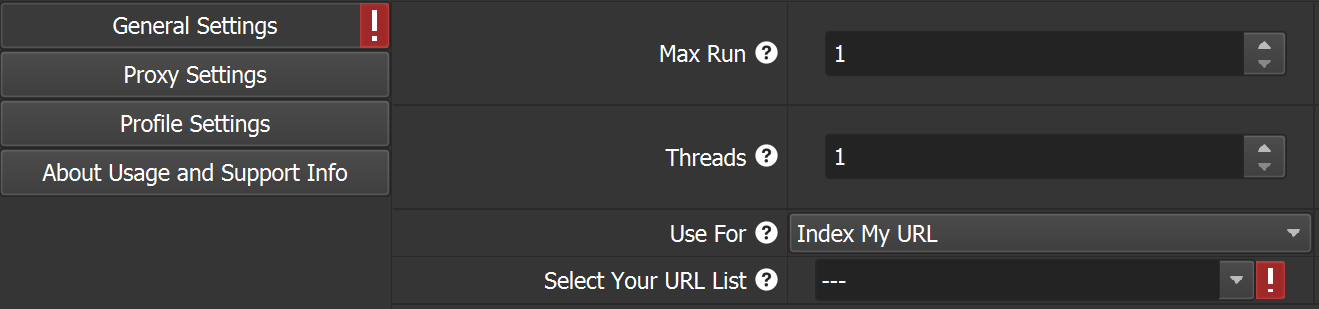
General Settings;
Max Run: Indicates the total number of operations to be performed. To avoid spam for 1 URL during the day, it is recommended not to perform more than 1000 operations. If more than 20 operations are to be performed for 1 URL during the day, it is recommended to use a proxy.
Threads: Indicates how many browsers will perform operations simultaneously. There are no restrictions; you can set the number of Threads that your computer/server can handle. If you plan to use more than 1 Thread, it is recommended to use a proxy.
Use For: This is where you select the operation to be performed.
Select Your URL List: You must select the group in the database where your URL list is located.
How do I create a URL list in the database?
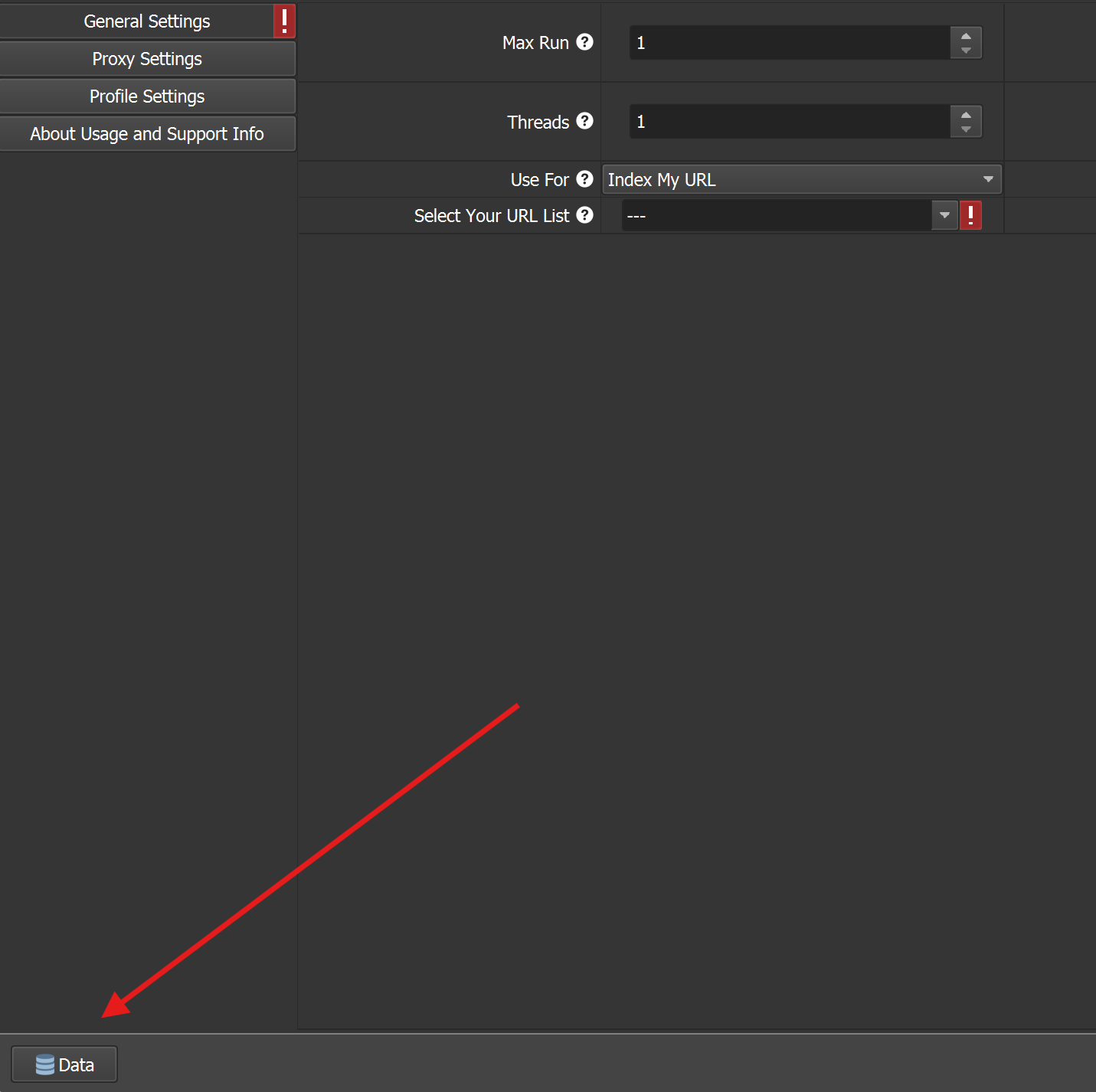
1 - Open the Database by clicking the Data button.
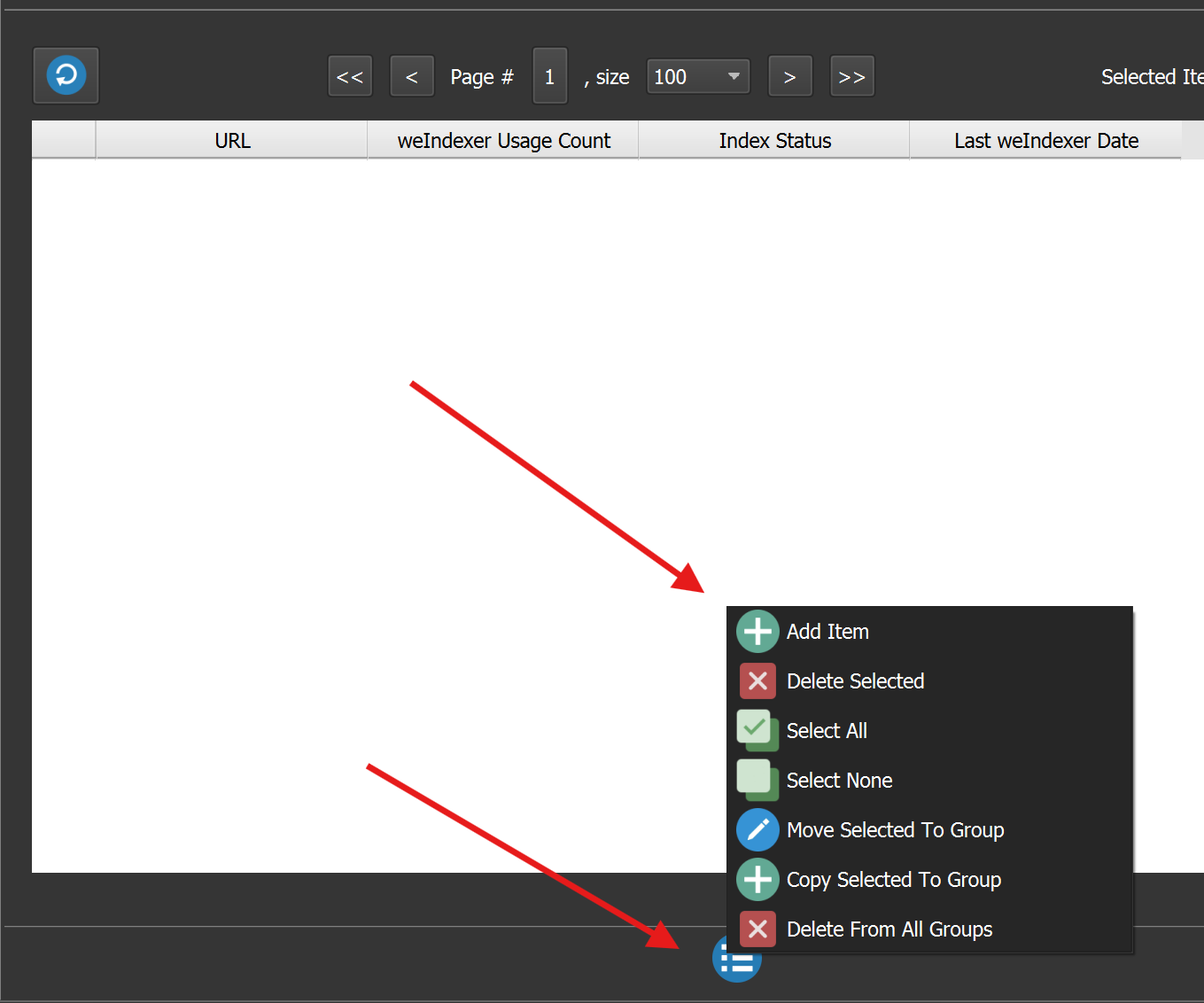
2 - Click the Add Item button.
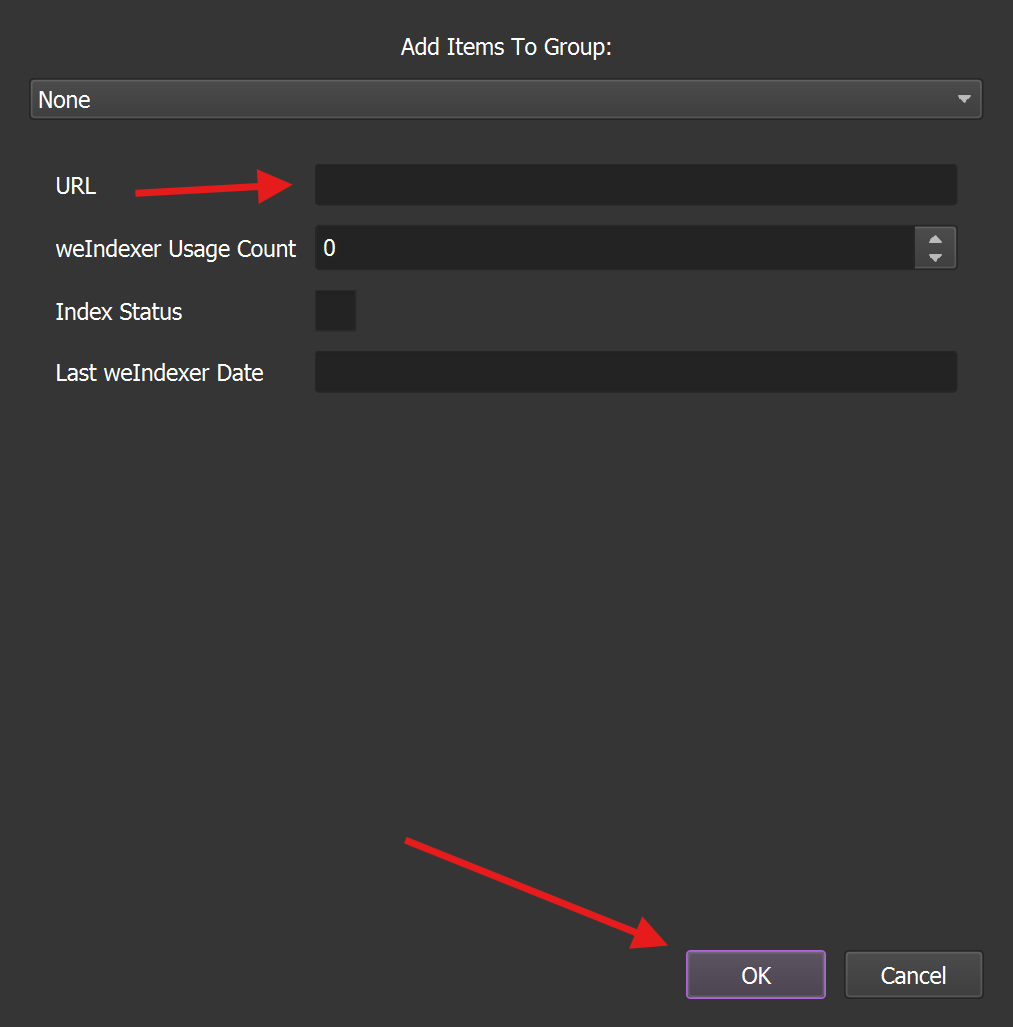
3 – Just fill in the URL field and click the “OK” button. When specifying the URL, you should not include the protocol (https:// or http://). You only need to add the domain, for example: we1.town
This way, you can add unlimited URLs. There are no restrictions on adding URLs with version v1.0.0. You can follow updates regarding restrictions.
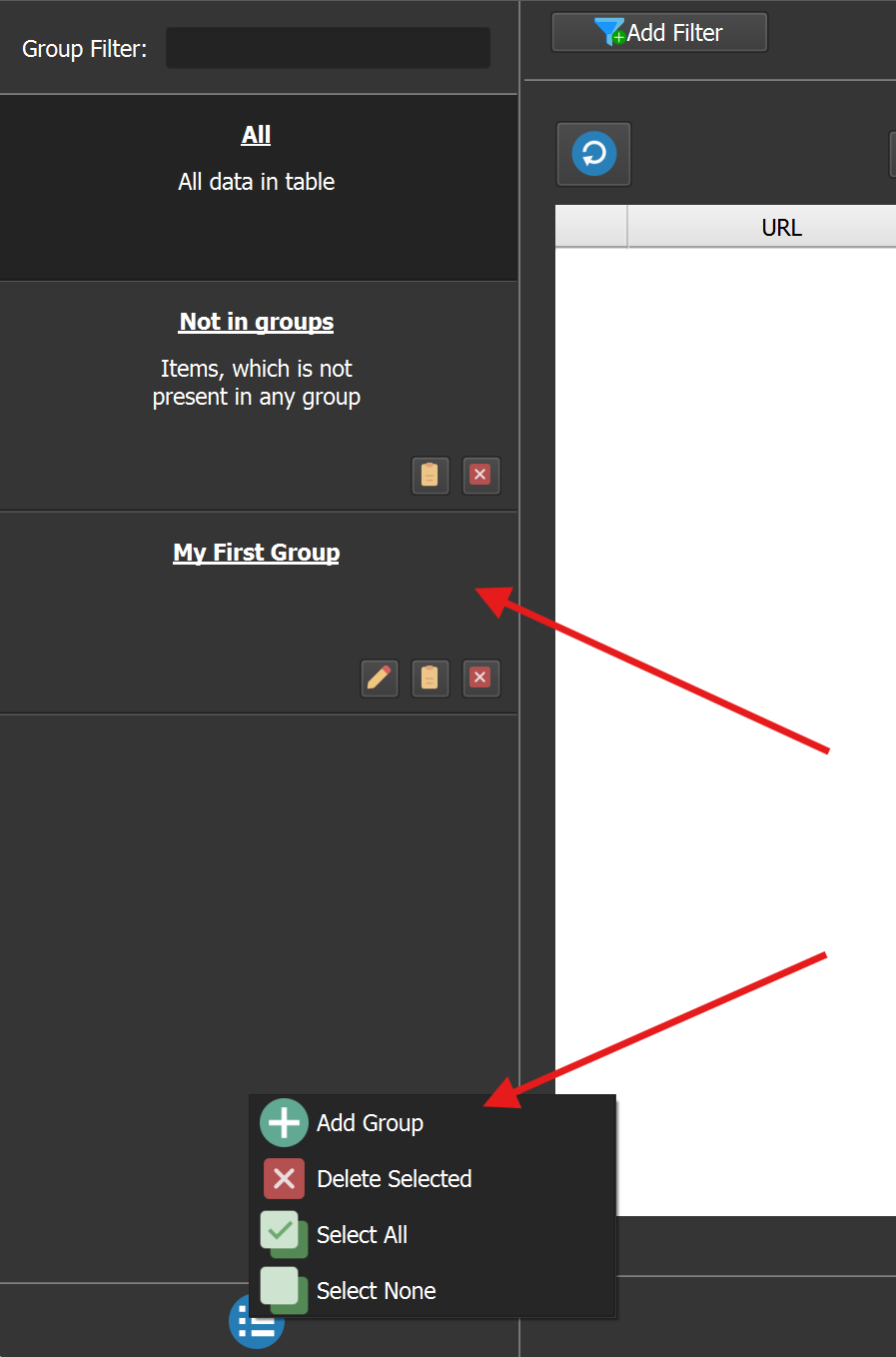
You can see how to manage groups within the Database in the screenshot below. Group management within the Database is suitable for your dynamic work and can make it easier to use.

 Turkey (Türkçe)

